Client · Management system
Minimercado Juniors
Management system for a kiosk and mini-market.
Client
Minimercado Juniors
Kiosk and mini-market
The challenge
What it was like before
For years they worked with a system that aged badly and started failing. The hard blow came the day the shop's computer broke: because the database lived there, locally, everything they had loaded was lost. After that they moved to an Excel file with macros, and there the problem was a different one. Loading products during a sale was slow, both because of the flow and because of the loading time, and in time the bugs arrived: search for a product and it would not appear, record a sale and it would error, choose the payment method and it would error.
- The previous system kept the database on the shop's computer. When that computer broke, everything loaded into it was lost.
- The replacement was an Excel file with macros, slow to load products in the middle of a sale.
- In time the Excel started failing too: products that did not show up when searched, errors when recording the sale and when choosing the payment method.
The solution
What we built
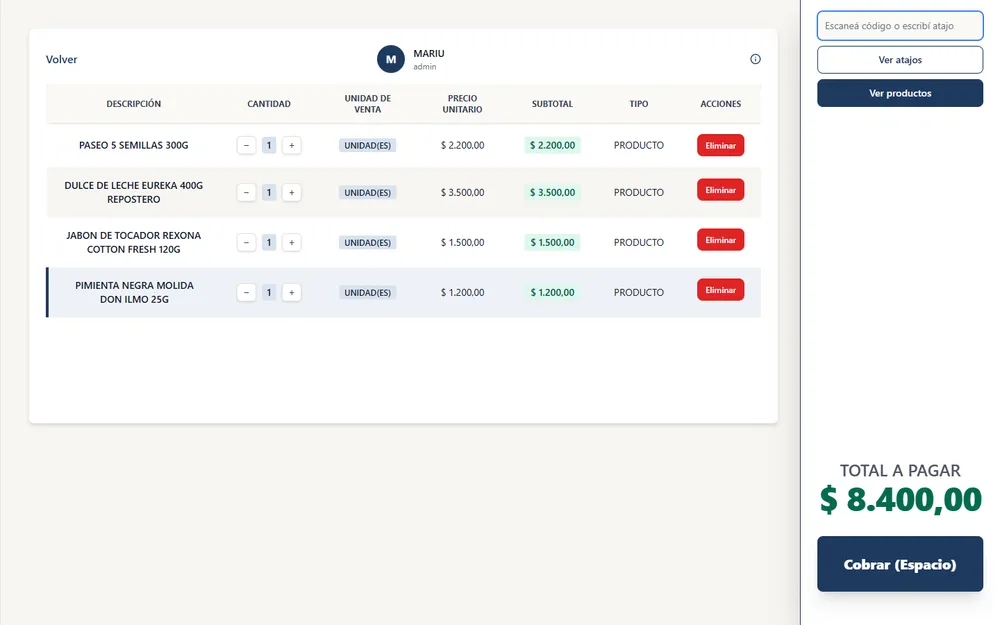
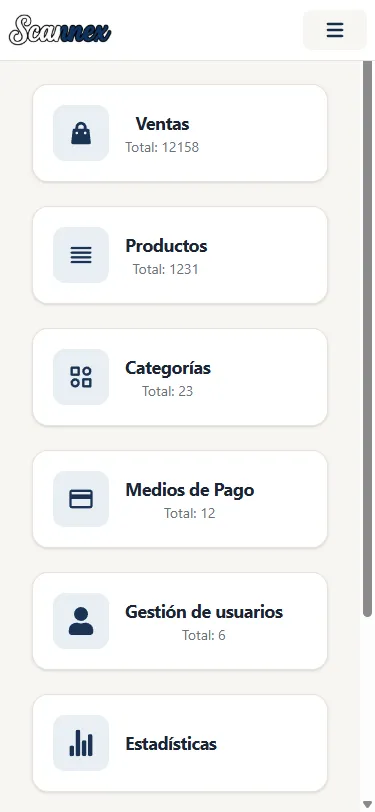
We built the management system on the web, with the data off the shop's computer. Product search and sale recording were redesigned around what actually happens at the counter, which is find it fast, take the money and move on to the next customer. Each person signs in with their own user.
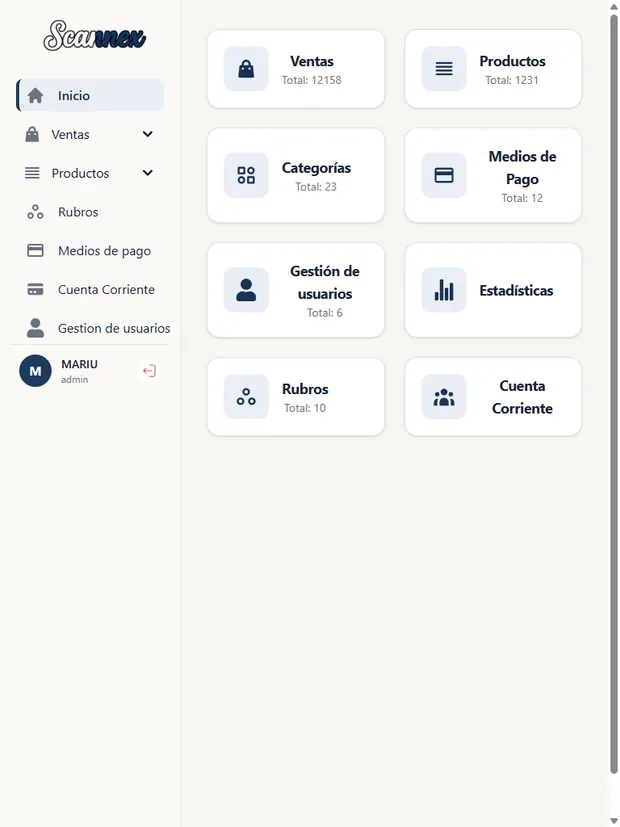
And we took the chance to widen the scope beyond what the previous systems did. Every sale is recorded with the employee who made it. Payment accepts several methods in the same transaction: if a sale of 3000 is paid 1000 with one method and 2000 with another, the system records it that way, and if part of it goes unpaid it is booked to the customer's account. On top of that come customer account management, statistics by year, month, week and day, and bulk price increases, which saves going in product by product.
The counter has its own rhythm, so entry is built around the keyboard. The + and - keys raise or lower the quantity of a product. Numeric shortcuts cover whatever has no barcode: you type 1 and Enter for potatoes, tomatoes or lettuce, or you enter a total amount against a category such as toys. The space bar opens payment. And for products that need a label of their own, the system generates the barcodes.
What we delivered
- Sales recording
- Keyboard shortcuts
- Barcode generator
- Payment split across methods
- Customer accounts
- Statistics by period
- Bulk price increases
- Sale attributed to the employee
- Data off the shop's computer
- Per-user access
On screen
The product in use
Outcome
What changed
The data no longer depends on a single computer: it is not lost if the machine at the shop fails. The sale flow is predictable again, without the errors when searching for a product, recording the sale or choosing the payment method.
And entry stopped being the bottleneck it was in the spreadsheet: it is done from the keyboard, without leaving the counter.
The system also does more than the previous ones. Customer accounts, statistics by period, sales attributed to each employee, payments split across several methods and bulk price increases are all things that existed neither in the old system nor in the spreadsheet.
Let's start
Got a project in mind?
Tell us your idea and we'll help you turn it into software. You get a real conversation back, not an automated quote.
Nos entendieron el problema antes de escribir una línea de código.